


SKU:K016-P2
Description
StickC-Plus2 is the iterative version of StickC-Plus. It is powered by the ESP32-PICO-V3-02 chip, providing Wi-Fi connectivity. Within its compact body, it integrates a rich variety of hardware resources, including IR emitter, RTC, microphone, LED, IMU, buttons, buzzer, and more. It features a 1.14-inch TFT display driven by the ST7789V2 with a resolution of 135 × 240. The battery capacity has been increased to 200mAh, and the interface is compatible with both HAT and Unit series modules.
This sleek and compact development tool can ignite unlimited creativity. StickC-Plus2 helps you quickly build IoT product prototypes and greatly simplifies the entire development process. Even beginners who are new to programming can create interesting applications and apply them in real life.
Tutorial
Note
Features
- Developed based on ESP32-PICO-V3-02, supports Wi-Fi
- Built-in 3-axis accelerometer and 3-axis gyroscope
- Integrated infrared emitter
- Built-in RTC
- Integrated microphone
- User button, LCD (1.14 inch), power/reset button
- 200mAh lithium battery
- Expansion interface
- Integrated passive buzzer
- Wearable & mountable
- Development Platform
- UiFlow1
- UiFlow2
- Arduino IDE
- ESP-IDF
- PlatformIO
Includes
- 1 × StickC-Plus2
Applications
- Wearable devices
- IoT controller
- STEM education
- DIY projects
- Smart-home devices
Specifications
Operation Instructions
Power On/Off
Power-on: Press the “BUTTON C” for more than 2 seconds, or wake up via the RTC IRQ signal. After the wake-up signal is triggered, the program must set the HOLD pin (G4) to high (1) to keep the power on, otherwise the device will shut down again.Power-off: Without external USB power, press “BUTTON C” for more than 6 seconds, or set HOLD (GPIO4)=0 in the program to power off. While USB is connected, pressing “BUTTON C” for more than 6 seconds will turn off the screen and enter sleep mode (not a full power-off).
Schematics
- StickC-Plus2 Schematics PDF
PinMap
Red LED & IR Emitter | Button A | Button B | Buzzer
Color TFT Display
Driver IC: ST7789V2Resolution: 135 × 240
Microphone MIC (SPM1423)
6-Axis IMU (MPU6886) & RTC BM8563
HY2.0-4P
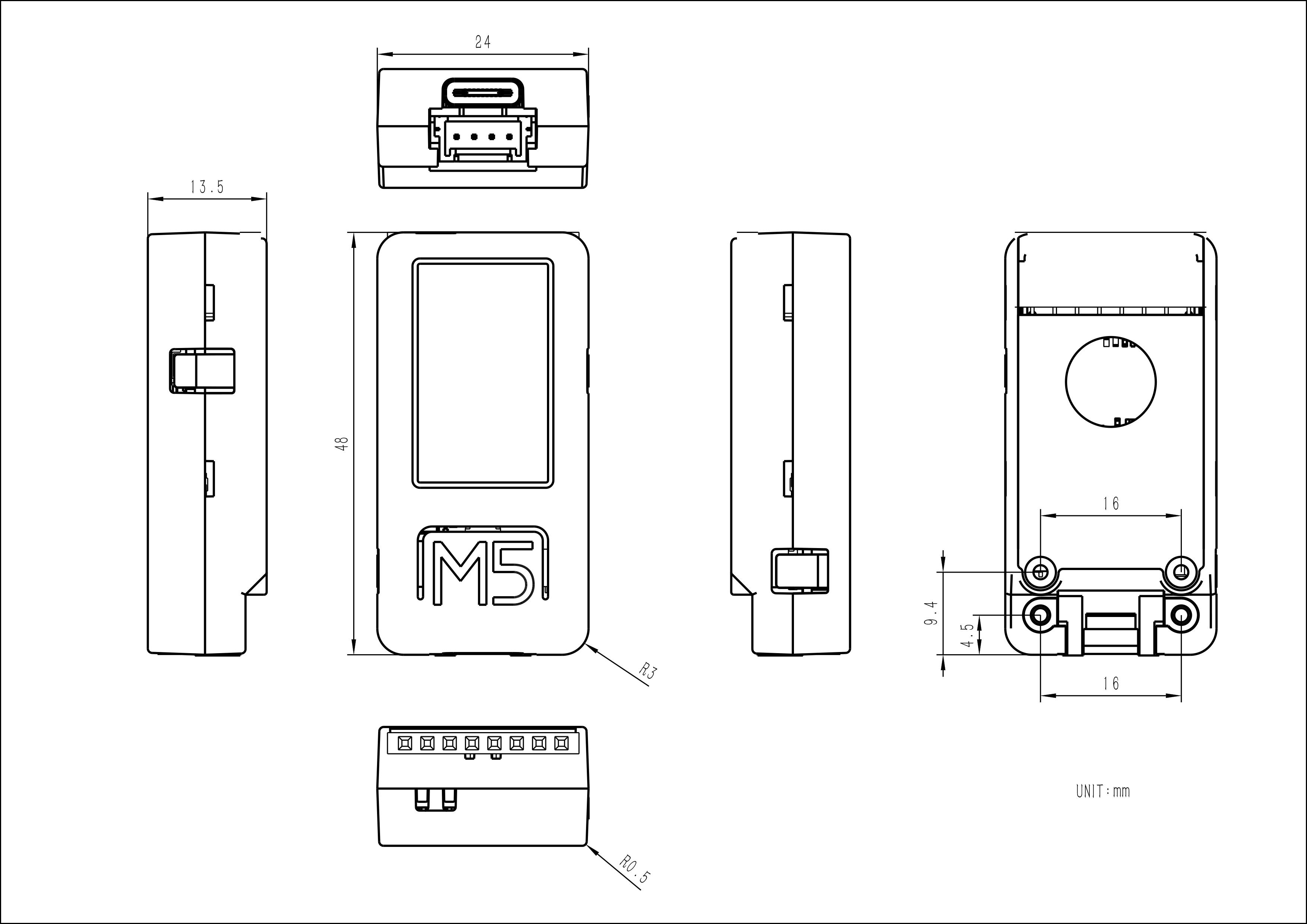
Model Size
Datasheets
- ESP32-PICO-V3-02
- ST7789V2
- BM8563
- MPU6886
- SPM1423
Softwares
Arduino
- StickC-Plus2 Arduino Quick Start
- StickC-Plus2 Library
- StickC-Plus2 Factory Test Firmware
UiFlow1
- StickC-Plus2 UiFlow1 Quick Start
UiFlow2
- StickC-Plus2 UiFlow2 Quick Start
PlatformIO
USB Driver
Click the links below to download the driver that matches your operating system. The package contains CP34X drivers (for CH9102). After extracting the archive, run the installer that matches your OS bit-depth.If you encounter issues such as timeout or “Failed to write to target RAM” during downloading, please try reinstalling the driver.
Easyloader
EasyLoader is a lightweight program flasher that comes with a demonstration firmware. By following a few simple steps, you can flash it to the controller for quick functional verification.
Other
- StickC-Plus2 Restore Factory Firmware Guide
Video
- StickC-Plus2 Feature Introduction
Version Change
Product Comparison
To compare information on the Stick series products, you can visit the Product Selection Table, check the target products, and get the comparison results. The selection table covers key information such as core parameters and functional features, and supports comparison of multiple products simultaneously.

